DIGI Clock Widget Plus v3.9.3 MOD APK (Full Version)
Additional Information from Google Play:
App Details
- Latest Version:
- 3.9.3
- Android Requirements
- 8.1
- Developer:
- ForestTree
- Download the Original File on Google Play:


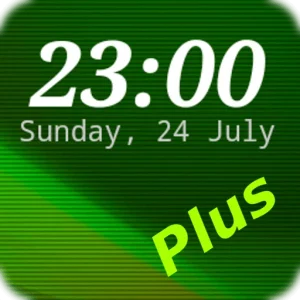
DIGI Clock Widget Plus is a digital clock and date widget app for the Android home screen. The app helps users display the time in their preferred style through customizable colors, fonts, date formats, backgrounds, and visual layouts.
Flexible clock and date display
The DIGI Clock Widget Plus settings include a preview so users can see how the widget will look before applying their choices. The time and date colors can be set separately to match the home screen theme. Users can also add a shadow effect in their chosen color and an outline around the text.
The date format is available in several variations and can be adjusted to suit user preferences. The date output language can also be selected through the locale settings. For the time display, the AM-PM indicator can be shown or hidden depending on whether the 12-hour or 24-hour format is used.
- Widget preview during setup.
- Color options for the time and date elements.
- Customizable shadow and outline effects.
- Language and date format settings.
- Option to show or hide AM-PM.
Background and font options
The widget background can use a solid color, a two-color gradient, or a photo belonging to the user. Its opacity can be adjusted from 0% for a transparent result to 100% for a completely opaque background. These combinations allow the clock to remain clearly visible while blending with the home screen wallpaper.
The app provides more than 40 fonts for the time and date text. In addition to the built-in collection, extra fonts can be used from the app library or device storage. Font, color, shadow, and background settings can be combined to create either a simple or more colorful appearance.
Alarm icon, seconds, and touch actions
The widget can display an alarm icon as a visual indicator for active alarms. On the larger 4×1 and 5×1 widget sizes, an option is available to show seconds for more detailed time information.
The action performed when the widget is touched can also be specified. Tapping the widget can open the alarm app, the widget settings page, or another app already installed on the device. This means the widget not only displays the time and date but also serves as a shortcut to the user’s chosen destination.
Adding the widget to the home screen
The widget can be added by pressing the plus button below the preview if that button is available, selecting a size, and then adding it through the dialog box. Another method is to press and hold an empty area of the home screen, open the widget menu, and then search for DIGI Clock.
After that, touch and hold the desired widget icon, drag it to the intended position, and release it to place the widget. The steps shown may vary depending on the device or manufacturer. DIGI Clock Widget Plus is also designed for tablet screens and is stated to support Android 11.
MOD Information
Full Version means the app is provided as the full version.
Details about the specific features or components included in the MOD have not yet been provided by the source.
DIGI Clock Widget Plus APK Details
| App name | DIGI Clock Widget Plus |
|---|---|
| Download file version | 3.9.3 |
| Download file size | 9.0 MB |
| Developer | ForestTree |
| Android requirements | 8.1 |
The app information and MOD details refer to APKMB. The download link leads to an APK file provided by APKMB.