Floating Dock 1.5.8 MOD APK
Additional Information from Google Play:
App Details
- Latest Version:
- 1.5.8
- Developer:
- Alkis Stamoulis
- Download the Original File on Google Play:


Preview & Screenshots
5 images · Swipe to see more
Floating Dock is an Android personalization app that brings together a floating taskbar, app menu, control panel, and clipboard in a single gesture-based interface. This app is ideal for those who want to switch apps, check important information, or change device settings without repeatedly opening the home screen or system menu.
Version Download Floating Dock Mod Apk v1.5.8 (Full Version) provides the full version of Floating Dock, allowing you to use the complete app with the listed MOD options.
About Floating Dock
The main concept of Floating Dock is to place essential controls within easy reach through swipe gestures. The dock can display the battery status, date, and time, while its gesture activation button can be customized to better suit your habits.
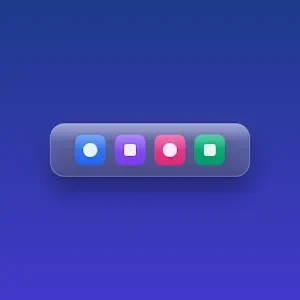
In addition to speeding up navigation, Floating Dock combines multitasking tools with display settings. Support for Material You colors and a frosted glass effect helps the dock blend in with the device theme, while the four-tab settings system keeps the various options more organized.
How to Use Floating Dock
To start using Floating Dock, configure the activation button and dock contents as needed. You can then swipe the button to open the full-screen app search, and press and hold an app icon to pin it to or remove it from the quick-access list.
When you need device controls, simply swipe to open a panel containing the music player, volume, brightness, and connectivity settings. To manage text or information, Smart Clipboard divides it into Notes, To-Do, Clips, and Favorites tabs, allowing you to select the appropriate category and edit its contents directly.
Floating Dock Features
Flexible Taskbar
The Floating Dock taskbar combines battery information, the date, and the time in one area. You can also customize the gesture activation button so the dock is easier to access from the current screen.
Floating App Menu
The app menu appears as a full-screen search panel that opens with a swipe. Press and hold the selected app to pin it for quick access or remove it when it is no longer needed.
Auto-Hide
The dock can automatically hide when you are playing games, using the device in landscape orientation, or locking the screen. This adaptive behavior prevents the navigation elements from obstructing your main activity in these situations.
Quick Control Panel
A single swipe provides access to several frequently used controls. From this panel, you can control music, adjust the volume and brightness, and change connectivity options without navigating through settings pages.
Organized Smart Clipboard
Smart Clipboard provides four tabs for separating notes, task lists, clips, and favorite items. This arrangement helps you manage various clipboard contents and edit them directly within the app.
Material You Design
Floating Dock can match its interface colors to the device’s Material You palette. A frosted glass effect adds visual character, while the four-tab layout makes it easier to organize design options and settings.
How to Download Floating Dock
Download Floating Dock Mod Apk v1.5.8 through the Download MOD section below the article. Select the file button to open the download page, then press the available download button. Wait until the file has been fully saved before starting the installation.
Before installing Floating Dock, check the Android version compatibility and the available storage space on your device. Once installed, review the requested permissions and configure the gesture button, dock contents, and appearance to suit your daily usage patterns. Follow the instructions in the How to Install section after the download is complete.