Hotel Owner Motel Simulator 3D 2.3 MOD APK
Additional Information from Google Play:
App Details
- Latest Version:
- 2.3
- Android Requirements
- Android 5.0+
- Developer:
- Peri Games
Preview & Screenshots
4 images · Swipe to see more
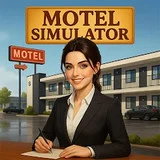
Hotel Owner Motel Simulator 3D is a business simulation game that combines accommodation management with supermarket operations on a single property. This combination is appealing because you not only manage rooms and guests but must also maintain stock, serve shoppers, and determine the direction of business development.
The Download Hotel Owner Motel Simulator 3D Mod APK v2.3 (Free Shopping) version provides Free Shopping to obtain items and upgrades without using regular currency, while also removing ads and providing free rewards to accelerate business growth.
About Hotel Owner Motel Simulator 3D
You start with a relatively easy-to-manage motel, then develop it into a larger hotel business. Growth depends on consistent profits, guest satisfaction, increased revenue, and the ability to manage the property’s various needs simultaneously.
Business development takes place gradually and can be seen through upgraded rooms, entertainment areas, and a larger shopping section. As the business grows, management also becomes more complex, so you need to set priorities to keep maintenance tasks and customer requests under control.
Hotel Owner Motel Simulator 3D Gameplay
The main activities include managing hotel rooms, maintaining cleanliness, upgrading facilities, and monitoring guest satisfaction. The revenue you earn can be used to improve the hotel or expand the supermarket, so investment decisions in one area can affect the development of the other.
In the supermarket, you need to restock shelves, arrange products, scan items at the checkout, and serve queues efficiently. A well-stocked store may still perform poorly if checkout is slow, while expensive hotel decorations are also insufficient if cleanliness is neglected; this relationship between systems forms the core of the strategy.
Hotel Owner Motel Simulator 3D Features
Supermarket Inside the Hotel
The supermarket is a direct part of the accommodation business and serves guests who need food, supplies, or everyday items. You are responsible for product availability and shelf organization so the store can meet customers’ needs.
Interactive Checkout Operations
Store service does not stop at restocking because you also handle the payment process. The speed of scanning items and managing queues affects supermarket performance, especially as the number of customers increases.
Gradual Business Development
New facilities become available gradually as the business grows rather than being unlocked from the beginning. This system makes every room, shopping area, or other facility upgrade feel like the result of managing revenue and guest satisfaction.
Interconnected Investment Decisions
You must divide resources between hotel upgrades and supermarket expansion. Prioritizing one area may temporarily weaken the other, so development plans need to consider the condition of the entire property.
An Ever-Changing 3D Environment
The colorful three-dimensional visuals show guests moving and interacting across different areas of the property. Upgrades also change the appearance of both the motel and supermarket, allowing you to observe business progress visually.
Organized Interface
The menus are arranged so important information remains easy to access when several activities are taking place at once. This presentation helps you focus on hotel and store management decisions.
How to Download Hotel Owner Motel Simulator 3D
Download Hotel Owner Motel Simulator 3D Mod APK v2.3 through the Download MOD section below the article. Select the file button to open the download page, then press the available download button. Wait until the file has been fully saved before starting the installation.
Prepare a device running Android 5.0 or higher before installing Hotel Owner Motel Simulator 3D. Check the available storage space and allow installation from the source you are using if prompted by your device. Follow the instructions in the How to Install section after the download is complete.