Lock Screen OS v2.7 MOD APK (Premium Unlocked)
Additional Information from Google Play:
App Details
- Latest Version:
- 2.7
- Android Requirements
- 7.0
- Developer:
- HkN Studio
- Download the Original File on Google Play:


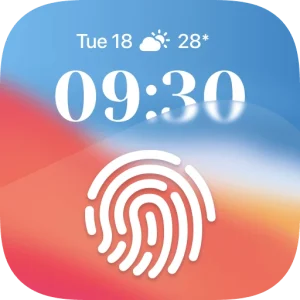
Lock Screen OS Style is an Android lock screen personalization app that helps change the lock screen’s appearance with wallpapers, clock styles, widgets, notifications, and music controls. The app also provides a depth effect for photos, allowing selected images to become lock screen backgrounds with a more prominent appearance.
Personalize wallpapers and lock screen styles
The lock screen can be customized with various appearance options, including colors, emojis, OS-style wallpaper signatures, weather, and gradient colors. Users can apply wallpapers directly with a single tap. The Depth Effect mode is used to give selected photos a sense of depth.
The app also allows users to create multiple lock screens. Each screen can have a different background and style, and users can switch between these options. The wallpaper gallery contains suggested photos and themed collections to help find a suitable appearance.
Widgets, clocks, and notifications on the lock screen
Lock screen widgets display information that can be viewed at a glance without opening another section, such as the calendar, battery, weather, date, and alarm. The clock display can be adjusted through options for the font, letter thickness, and language used.
Notifications are available in three display formats: an expanded list, a stacked layout, or a hidden view. These options help control how notification information is displayed on the lock screen. Notification content can also be hidden, while system notifications can still be displayed according to the selected settings.
Music and multiple lock screens
Lock Screen OS Style provides a music display on the lock screen. From this section, music can be viewed and controlled without leaving the lock screen. This feature works alongside the selected screen style, wallpaper, widgets, and notifications.
Permissions and initial setup
For the lock screen functions to work as designed, several special permissions are required. Camera permission is used to open the camera while the screen is locked, while notification access is used to display notifications. Storage access supports selecting wallpapers from the device storage and storing images used by the app.
Permission to display over other apps is required to show the lock screen, while accessibility permission allows the app to draw on the home screen and status bar. During the initial setup, the app asks users to grant the required permissions, create or change a passcode, disable the system lock by selecting the “None” system option, and configure notification preferences if content should be hidden.
MOD Information
Premium Unlocked means that premium features are unlocked.
Additional MOD details have not been listed in the source.
Lock Screen OS Style APK Details
| App name | Lock Screen OS Style |
|---|---|
| Download file version | 2.7 |
| Download file size | 13.9 MB |
| Developer | HkN Studio |
| Android requirements | 7.0 |
App information and MOD details refer to APKMB. The download link leads to the APK file provided by APKMB.