My Favorite Car 2.1.9 MOD APK
Additional Information from Google Play:
App Details
- Latest Version:
- 2.1.9
- Developer:
- FORESIGHT
- Download the Original File on Google Play:

Preview & Screenshots
6 images · Swipe to see more
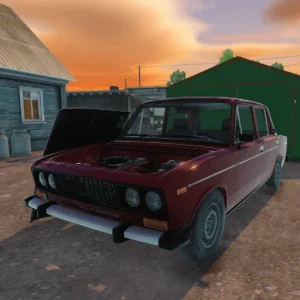
My Favorite Car is an automotive simulation game that invites you to assemble, repair, and customize cars in your home garage. Finished cars can be driven on the road or sold for a profit. The combination of garage work and the freedom to choose components makes it appealing to players who enjoy experimenting with vehicles.
Version Download My Favorite Car Mod Apk v2.1.9 (Unlimited Money, Free Shopping) provides Unlimited Money and Free Shopping so you can buy components and try various car designs more freely. Both options focus on money and shopping activities rather than unlocking all game content.
About My Favorite Car
The player’s home serves as the main workshop for working on cars and various items available in the game. The garage and backyard provide a workspace where you can select vehicle parts, install them, and then view the finished build from several angles.
The game also has an economic element because assembled vehicles can be sold to other people for use in races. Every day, you are tasked with putting together a new set of vehicles and trying to sell them for a profit, so your modification choices affect not only their appearance but also their resale value.
My Favorite Car Gameplay
You explore the map using a virtual joystick on the screen, while most action buttons are located on the right side of the interface. These buttons are used to jump, select components to install, and rotate the view when inspecting car parts. The simple control layout helps you switch between exploration and assembly work.
The gameplay begins by choosing the vehicle or component you want to work on in your home garage. You then select the appropriate parts, install them, and customize the car’s appearance to your liking before driving it on the road or selling it. The key decision is to create a design you like while also considering the potential profit from the vehicle.
My Favorite Car Features
Car Assembly and Customization
You can assemble vehicles and customize their appearance using the available parts. The selection of components gives you the freedom to create a version of the car that suits your personal preferences before using or selling it.
Home Garage
The house is more than just a setting; it is the hub for building cars and other objects in the game. The garage and backyard provide a clear setting for selecting, installing, and inspecting components.
Daily Vehicle Tasks
The game provides a new job every day that involves assembling a set of vehicles. Once the car is finished, you try to sell it for a profit, giving your garage activities constantly changing objectives.
Easy-to-Understand On-Screen Controls
Character movement is controlled using a virtual joystick, while the action buttons are located on the right side of the screen. This layout includes functions for jumping, picking up components to install, and changing the viewing direction while working.
Vehicles with Three-Dimensional Graphics
Three-dimensional models make customized cars look more realistic and allow them to be viewed from various angles. The visual details also support the vehicle assembly and repair process by making car parts easier to identify.
How to Download My Favorite Car
Download My Favorite Car Mod Apk v2.1.9 through the Download MOD section below the article. Select the file button to open the download page, then press the available download button. Wait until the file has finished downloading before starting the installation.
The source does not specify the minimum Android requirements, so check your device’s compatibility before installing My Favorite Car. Make sure you have sufficient storage space and allow app package installation if required by your device settings. Follow the instructions in the How to Install section once the download is complete.