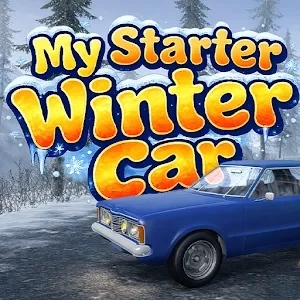
My Starter Winter Car:Mechanic 9.0.8 MOD APK
Additional Information from Google Play:
App Details
- Latest Version:
- 9.0.8
- Developer:
- Azat Dauletyarov
- Download the Original File on Google Play:


Preview & Screenshots
5 images · Swipe to see more
My Starter Winter Car:Mechanic is a simulation game where you repair and modify various cars in a winter setting. Manual assembly, engine modifications, and weather conditions such as heavy snow make every job require more attention than simply changing a vehicle’s appearance.
Version Download My Starter Winter Car:Mechanic Mod Apk v9.0.8 (Menu, Unlimited Money, No ADS) provides a developer menu, unlimited money, and ad-free gameplay. The menu can be opened using the red button in the bottom-left corner, while the other MOD benefits make it easier to manage repair needs without being hindered by limited funds or ads.
About My Starter Winter Car:Mechanic
The main focus of this game is the work of a mechanic who handles various car models and engine systems. You do not simply receive finished vehicles; instead, you follow the repair process manually, making component installation an important part of the gameplay experience.
The winter setting provides a unique backdrop for workshop activities, as conditions can change from light snow to a blizzard. These varying weather conditions are combined with increasingly difficult missions, ensuring that your progress remains tied to your ability to overcome mechanical challenges.
My Starter Winter Car:Mechanic Gameplay
You begin by inspecting the car, repairing any faulty parts, and then installing materials or components manually. After that, you can decide whether the vehicle only needs repairs or requires further modifications to its appearance or engine system.
Workshop tools and machinery can also be upgraded to make them more powerful and speed up the repair process. Since the challenges take place in varying snowy conditions, you need to consider which upgrades will be most helpful before taking on more difficult missions.
My Starter Winter Car:Mechanic Features
Manual Car Assembly
The repair process is simulated through various stages that are completed manually. This approach lets you take a direct role in installing vehicle parts instead of simply selecting an automatically completed repair.
Component and Appearance Customization
Various materials and components are available to change the appearance of the car you are working on. You can choose suitable parts to create a vehicle with a more striking presence on the road.
Engine System Modifications
Customization is not limited to the exterior, as the car’s engine system can also be modified. This feature expands your mechanical work by placing greater emphasis on the vehicle’s internal performance.
Dynamic Snow Conditions
The winter environment includes conditions ranging from light snow to blizzards. These changes create different atmospheres for your workshop tasks and form part of the challenges you must face.
Increasingly Difficult Missions
The game features several missions and challenges that become more difficult as you progress. This progression encourages you to understand the repair process before taking on more demanding jobs.
Workshop Equipment Upgrades
The repair system and workshop machinery can be upgraded to increase their power. Upgraded equipment helps you complete vehicle repairs more quickly.
How to Download My Starter Winter Car:Mechanic
Download My Starter Winter Car:Mechanic Mod Apk v9.0.8 through the Download MOD section below the article. Select the file button to open the download page, then press the available download button. Wait until the file has finished downloading before starting the installation.
Before installing My Starter Winter Car:Mechanic, make sure your device has sufficient storage space and check its compatibility with the Android system you are using. Once the installation is complete, open the game and make sure all its components load properly. Follow the instructions in the How to Install section after the download is complete.
MOD Note: The developer menu is already enabled in the game. To open it, tap the red button in the bottom-left corner of the screen.