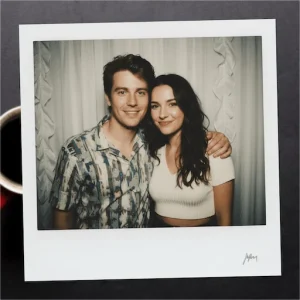
Photo Lab v3.13.128 MOD APK (Pro Unlocked)
Additional Information from Google Play:
App Details
- Latest Version:
- 3.13.128
- Android Requirements
- 7.0
- Developer:
- PHOTO LAB DMCC
- Download the Original File on Google Play:


Photo Lab Picture Editor & Art is a photo editing app that helps turn images into artistic creations with more than 640 frames, effects, filters, and montages. The process is simple: choose the style you want to use, select a photo from the gallery, and let the app process it. This feature is ideal for enhancing portraits, creating funny images, designing greeting cards, or preparing photos to share.
Effects and filters for every mood
Photo Lab offers a variety of filters that can change colors while adding a film-like or painted touch. Each filter creates a different mood, ranging from cheerful to nostalgic. Users can try several options to find a look that suits the character of the photo.
In addition to filters, creative effects are available for placing faces or portraits into various compositions. Options include face-in-hole effects, headwear, monsters, celebrity collages, and other visual styles. Portraits can also be placed on vintage-style postcards, birthday cakes, or magazine covers.
Photo frames, overlays, and montages
The frame collection allows photos to be surrounded by scenery, realistic scenes, or cartoon characters. Frames not only serve as decoration but also help establish a specific theme for an image. Color adjustments and added dramatic effects can be combined to create a more striking composition.
The overlay feature can be used to blend a portrait with another image. One possible result is a double-exposure effect, which combines two visuals into a single composition. Meanwhile, montages provide a quick way to place photos into pre-made backgrounds or objects without having to arrange every element manually.
Collages for arranging collections of images
Photo Lab also includes a collage maker for combining dozens or even hundreds of images. Photos with the same theme can be arranged into a single layout, making a series of moments or a story easier to present. Edited images can be saved to the library, shared on social media, or processed further using other editing features.
- Collage: combines multiple photos into a single layout.
- Montage: places portraits into pre-made designs.
- Magazine cover: displays photos in the style of a magazine’s front cover.
- Greeting card: combines images, effects, and messages for a specific occasion.
Inspiration from the feed and added text
The feed section displays images edited by other users. If you find an appealing style, its editing effects can be applied to your own photo. Some visual elements can also be customized so the final result better suits the user’s needs. This makes it easier to find ideas without having to choose an effect combination from scratch.
The text editor complements the process by allowing messages to be added to images. Text can be used to add meaning, create greetings, or design cards for specific occasions. Once the effects, frames, overlays, and text have been combined, the image can be saved or shared according to the user’s needs.
MOD Information
Pro Unlocked means the Pro features are unlocked. The source does not provide details about which specific Pro features are included, any limitations, or other special instructions.
Photo Lab Picture Editor & Art APK Details
| App name | Photo Lab Picture Editor & Art |
|---|---|
| Download file version | 3.13.128 |
| Download file size | 44.6 MB |
| Developer | PHOTO LAB DMCC |
| Android requirements | 7.0 |
The app information and MOD details refer to APKMB. The download link leads to the APK file provided by APKMB.