
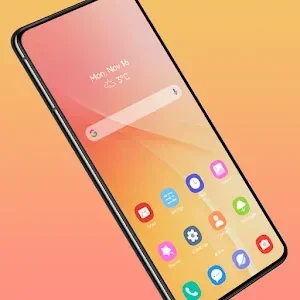
SO S26 Launcher Theme IconPack 5.9 MOD APK
Additional Information from Google Play:
App Details
- Latest Version:
- 5.9
- Developer:
- O Launcher Group
- Download the Original File on Google Play:


SO S26 Launcher Theme IconPack is an Android home screen replacement app that offers a look inspired by the S26 phone style. This app helps customize the home screen layout with adjustable themes, icons, widgets, wallpapers, an app drawer, and gesture controls.
S26-style appearance with matching themes and icons
This launcher uses uniform icon shapes to give apps on the home screen a consistent appearance. Users can choose from more than 1.000 built-in themes and icon packs. Most third-party icon packs can also be used to expand the available customization options.
App icons and their label text can be edited. The icon size, label appearance, and number of columns and rows in the home screen grid can also be adjusted in greater detail. In addition, the adaptive dock provides background customization options to complement the screen layout.
SO S26 Launcher is independently developed and is not the official Samsung Galaxy S26 launcher. Its icons and wallpapers have been redesigned to provide an interface inspired by that style.
Wallpapers, widgets, and home screen settings
The app provides a collection of static and live wallpapers available online. The automatic daily wallpaper feature can periodically change the background without requiring users to select each wallpaper individually.
Widgets can be placed alongside icons and other elements to create a home screen that suits the user’s needs. Once the arrangement is complete, the desktop layout can be locked to prevent icons or widgets from being moved by accidental touches. An eye protection mode is also available to make screen viewing more comfortable.
A flexible and easy-to-browse app drawer
The app drawer can be displayed in vertical or horizontal mode. The grid size within the drawer can be adjusted, while its background color can be changed to match the home screen theme.
The quick search bar helps users find apps directly from the drawer. Specific apps can also be hidden from the drawer or desktop. An app lock function is available for private apps. The unread notification badge counter helps users see notifications on the relevant icons.
Gestures and side panel
SO S26 Launcher supports various gesture actions, including swiping, pinching, double-tapping, and two-finger gestures. Each gesture can be used to speed up access to configured functions without cluttering the screen with too many buttons.
The side panel provides an additional area for accessing launcher functions. Combining this panel with gestures, app search, and the adaptive dock provides more options for controlling how apps are opened and navigating through home screen elements.
MOD Information
Premium Unlocked means that premium features are unlocked.
Details about the specific premium features included in the MOD have not been provided by the source.
SO S26 Launcher Theme IconPack APK Details
| App name | SO S26 Launcher Theme IconPack |
|---|---|
| Download file version | 5.9 |
| Download file size | 17.2 MB |
| Developer | O Launcher Group |
| Android requirements | The minimum version is not specified by the source |
The app description refers to Google Play. File details refer to LiteAPKs.


