TV Debloater v7.19 MOD APK (Premium Unlocked)
Additional Information from Google Play:
App Details
- Latest Version:
- 7.19
- Android Requirements
- Varies with device
- Developer:
- Express Buy OU
- Download the Original File on Google Play:


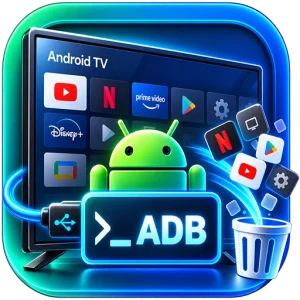
TV Debloater: Android TV Tools is an application for managing Android TV and Google TV devices from a phone using an ADB connection over Wi-Fi. It helps users view installed packages, remove unnecessary apps, restore changes, and control their TV without a computer.
App and system package management
TV Debloater displays both regular apps and system packages found on the TV. Users can search and filter the list, then disable, uninstall, or restore supported packages. It also supports managing multiple apps at once for batch processing.
Each app has an indicator to help users consider which action to take. White marks optional components, yellow indicates that a package requires attention, while red marks critical system components. Available options may vary because the app checks the packages actually installed on the device and its TV firmware.
Cleanup profiles for various TV devices
The app provides 11 cleanup profiles tailored for TCL or FFalcon, Philips, Xiaomi, Sony, Hisense, Sharp, Skyworth, Google TV Streamer or Chromecast with Google TV, NVIDIA Shield TV, onn. Google TV devices, and other Android TV devices.
Each profile includes common Android components and device-specific apps, along with recommendations tailored to supported models. Basic cleanup features can be used to manage apps individually. Premium options include a broader recommendation database, advanced system management, batch operations, and Expert tools. TV Debloater also provides cache cleaning and memory optimization.
Use your phone as a TV remote
In addition to managing packages, the phone can be used as a TV remote. Available controls include remote buttons, keyboard input, a mouse, a touchpad, voice search through the phone, and supported game controls. Multi-TV support allows more than one device to be managed from the same app.
Device information and operation history are also available to help users review connected TVs and actions that have been performed. The interface supports 19 languages, and the app does not require root access.
ADB connection and important considerations
The app can automatically discover TVs and establish an ADB connection over Wi-Fi. Before use, ADB debugging must be enabled and authorized on the TV. The phone and TV must also be connected to the same local network for a connection to be established.
Some features depend on the TV model, firmware, and system permissions. Disabling or uninstalling system apps may affect TV functionality, so package selections should be reviewed before changes are applied. TV Debloater is an independent app and is not affiliated with Google or any TV manufacturer.
MOD Information
Premium Unlocked means that premium features have been unlocked.
According to the source, Premium includes a broader cleanup recommendation database, advanced system management, batch operations, and Expert tools. Option availability still depends on the installed packages, TV model, firmware, and system permissions.
TV Debloater: Android TV Tools APK Details
| App name | TV Debloater: Android TV Tools |
|---|---|
| Download file version | 7.19 |
| Download file size | 5.0 MB |
| Developer | Express Buy OU |
| Android requirements | Varies with device |
The app information and MOD details are sourced from APKMB. The download link leads to the APK file provided by APKMB.