Unbroken: Survival v0.3.1 MOD APK (Full Game)
Additional Information from Google Play:
App Details
- Latest Version:
- 0.3.1
- Android Requirements
- 10
- Developer:
- Raven Illusion Studio
- Download the Original File on Google Play:

Preview & Screenshots
1 images · Swipe to see more
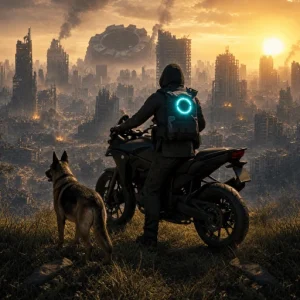
Unbroken: Survival is a sci-fi third-person shooter that takes you to South Africa after an alien invasion has destroyed civilization. The combination of combat, a personal story, and disguised enemies makes Damian’s struggle for survival more complicated than simply shooting alien creatures.
The Download Unbroken: Survival Mod Apk v0.3.1 (Full Game) version provides Full Game access so you can play the complete version of Damian’s journey against the alien invasion. This label refers to the full game, not Premium access or a separate unlock of all features.
About Unbroken: Survival
The story centers on Damian, a survivor who was separated from his twin sister when the invasion began. After surviving alone for three years, he must leave his isolated way of life behind and search for people who are still capable of fighting back.
The conflict unfolds in a devastated South Africa, where aliens can disguise themselves as humans. This threat connects Damian’s search for his sister, his efforts to uncover the truth, and the formation of a human resistance within a single intertwined storyline.
Unbroken: Survival Gameplay
You control Damian from a third-person perspective, keeping both the character and the surrounding area visible during combat. Traveling through ruined environments brings you face-to-face with alien threats while connecting action, exploration, and story objectives.
Progress is not determined solely by Damian’s ability to survive firefights. You must also follow his struggle to identify infiltrators disguised as humans, protect survivors, and unite them into a stronger resistance; each action drives the conflict toward a counterattack against the invaders.
Unbroken: Survival Features
Damian’s Personal Story
Damian is not presented as a soldier without a past, but as a survivor who has been out of contact with his twin sister since the invasion began. His search gives every step a personal purpose while connecting it to humanity’s larger struggle.
Third-Person Combat
The third-person perspective lets you see Damian and his surroundings while facing enemies. The shooting mechanics are part of a story-driven journey, so each clash remains connected to the effort to survive and resist the invasion.
Disguised Aliens
Enemies can hide behind human appearances and do not always reveal their identities right away. This adds tension because Damian and his group must remain vigilant as they search for creatures infiltrating the survivors.
The Survivors’ Resistance
Damian’s role develops from someone surviving alone into a figure who brings survivors together. Uniting scattered people transforms his personal conflict into a resistance movement fighting to reclaim humanity’s future.
A Devastated South African Setting
The story takes place in a depiction of South Africa that has been heavily damaged by the alien attack. This environment creates a bleak atmosphere while providing the setting for Damian’s journey to investigate what happened and confront the remaining threats.
A Narrative About Identity and Humanity
The story goes beyond the struggle to stay alive by also exploring identity, trust, and humanity’s response to an immensely powerful enemy. These elements broaden the game’s objective into a search for truth and a collective struggle against the invaders.
How to Download Unbroken: Survival
Download Unbroken: Survival Mod Apk v0.3.1 through the Download MOD section below the article. Select the file button to open the download page, then press the available download button. Wait until the file has finished saving before beginning the installation.
Before installing Unbroken: Survival, make sure your device runs Android 10 or higher. Also prepare around 2 GB of free space and check your device’s capabilities, as the source lists an 8 GB RAM requirement and recommends additional storage space for temporary data during installation. Follow the instructions in the How to Install section after the download is complete.