
Night Clock & Digital Clock v2.11.44 MOD APK (Premium Unlocked)
Additional Information from Google Play:
App Details
- Latest Version:
- 2.11.44
- Android Requirements
- 7.0
- Developer:
- Stefan Fruhner
- Download the Original File on Google Play:


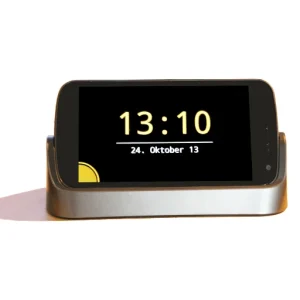
Night Clock & Digital Clock is a digital desk clock app for displaying the time comfortably during the day and night. In dock mode, the screen brightness automatically adjusts to the time of day, keeping the display bright during the day and dimming it to the minimum level at night.
Digital clock with automatic brightness
This app is designed as a desk clock that can be used while the device is in dock mode. The time is displayed in a simple digital format, while the font size can be adjusted by using a two-finger pinch gesture. This adjustment helps set the clock display according to your needs without a complicated font-size settings menu.
During the day, the screen is displayed at a brighter level. When night arrives, the app automatically lowers the brightness to the minimum level. This setting is part of how night mode works on the digital clock.
Quick alarm and Daydream display
The alarm can be set by swiping the screen from the left side. When the alarm is no longer needed, it can be deleted by tapping the bottom-right corner of the screen. This method provides direct access to the alarm function without leaving the main clock display.
The app can also be used as Daydream starting with Android 4.2. This feature allows the clock display to be used in Daydream mode on supported devices.
Battery estimate and notifications
When the device is charging, the app calculates the estimated time required for the battery to become fully charged. This information can be displayed alongside the clock to help show the estimated charging duration.
Notifications can be enabled for missed phone calls, Gmail, WhatsApp, and Twitter. On Android 4.3 and later, notification access must be enabled through Settings, Security, Notification access, and then selecting NightDream. On earlier Android versions, the setting is available through Settings, Accessibility, and then enabling NightDream.
Weather, sound, and device permissions
Current weather conditions can be displayed below the time through a feature purchased within the app. This project is also open source, and donation support is available through in-app purchases.
In night mode, the app can mute the device, turn off the screen, and turn it back on when a certain ambient sound level is detected. For this function, the app continuously records audio while the relevant mode is running, but the audio data is not stored. Other permissions are used to wake the device from sleep and keep the screen on, read the background image from external storage, and lock the screen while the app is running. Device administrator permission must be revoked before the app is uninstalled.
MOD Information
Premium Unlocked means that premium features are unlocked.
Details of the unlocked premium features have not been listed.
Night Clock & Digital Clock APK Details
| Application name | Night Clock & Digital Clock |
|---|---|
| Download file version | 2.11.44 |
| Download file size | 6.5 MB |
| Developer | Stefan Fruhner |
| Android requirements | 7.0 |
The app information and MOD details refer to APKMB. The download link leads to the APK file provided by APKMB.


